
Importing a library can involve reading files, executing initialization code, and loading further dependencies. We pay that cost even when we only want to display a tool’s help message. Python 3.15 introduces Explicit Lazy Imports, defined in PEP 810 and covered in What’s New in Python 3.15: we can declare an import and defer loading until first use.
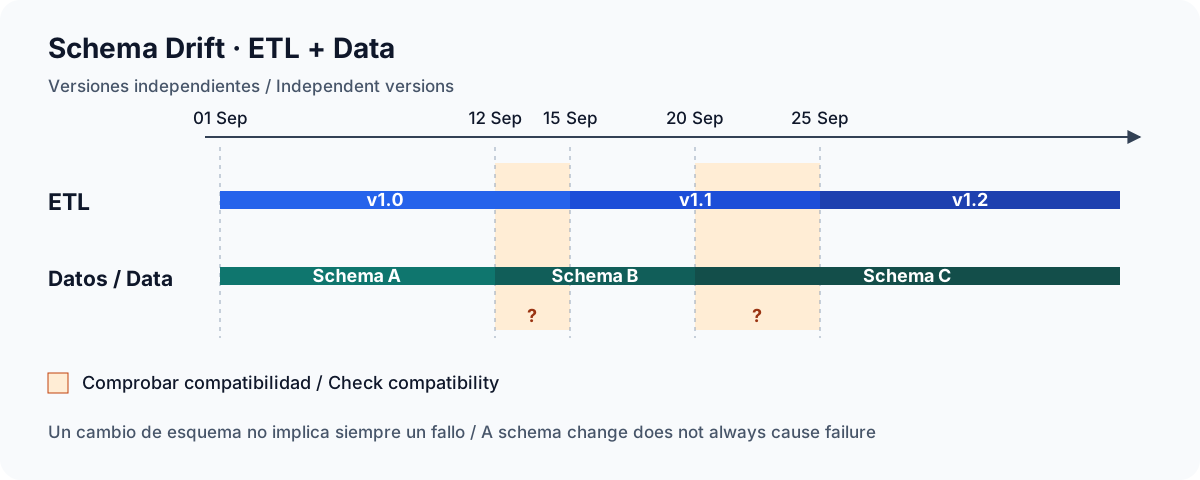
Every morning, an ETL receives a CSV, converts ages to integers, and loads customers. Yesterday it worked with this file:
id,name,age
1,John,25
2,Mary,30
Today, the provider adds a country:
id,name,age,country
1,John,25,USA
2,Mary,30,UK
A few days later, another surprise arrives:
id,name,age,country
1,John,25,USA
2,Mary,unknown,UK
An additional column may be harmless if we select fields by name and allow extra columns. If we unpack each row into three variables, it may break the load. unknown may cause an age conversion error, silently become null, or lead a subsequent inference to treat the entire column as text.

A CSV file arrives. Before loading it into a database, you want to see its columns, check for missing values, and find the records you need. Opening a spreadsheet works, but becomes inconvenient when you have to repeat the same operation across several files. Writing a program for every check is not always worthwhile either.
csvkit brings together command line tools for converting and processing tabular data. It is written in Python and handles many of these tasks with short commands you can save and run again.
A file contains José, but after passing through a pipeline it becomes José. Another preserves accents, yet searching for Jose also returns José. In a third, emojis turn into ?.
All three look like text problems, but they call for different investigations: how we interpret bytes, how we compare strings, and what information was lost along the way. Switching to UTF-8 without locating the failure can simply store already damaged text correctly.

Python remains one of the most comfortable languages for exploring and transforming data. But DataFrame convenience does not always translate into speed: as rows and columns grow, memory and CPU costs become obvious. Polars addresses that problem with a Rust-based DataFrame library exposed through a Python API.
What is Polars?
Polars is an analytical query engine and DataFrame library for tabular data. Its core is written in Rust, uses an Apache Arrow-compatible memory model, and combines vectorized, columnar processing with query optimization.
